Every major feature in Orbit — events, courses, resources, announcements, membership, and the member directory — comes with built-in sharing and promotion tools. This page covers how sharing works across the platform.
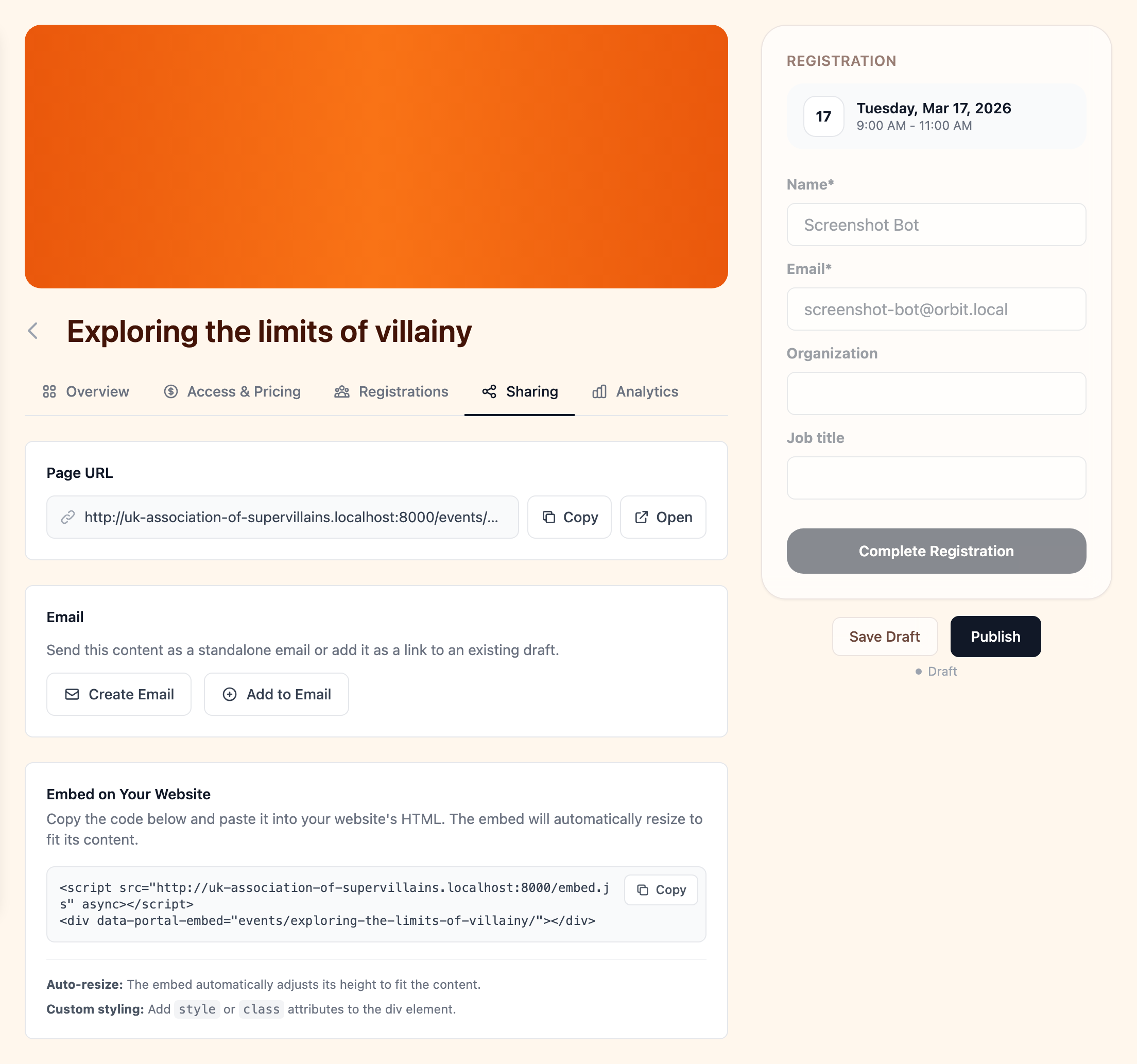
The email system integrates deeply with every feature. From the Sharing tab on any event, course, resource, announcement, or membership level, you can:
- Send as email — create an email draft pre-populated with the item's content. The draft opens in the email composer where you can customize it, choose your audience, and send or schedule. For announcements, audience targeting (all members or specific tiers) is automatically carried over.
- Add to email — append the item as a rich link preview card (with image, title, and description) to an existing draft email. This is ideal for newsletters — include multiple events, courses, and announcements in a single email without recreating content.
See Email for full details on the email system.
Social Media
All shareable content includes full Open Graph and Twitter Card metadata. When you share a link on Facebook, X (Twitter), LinkedIn, Slack, or any platform that supports link previews, it displays with:
- The item's title
- A description extracted from the content
- The featured image (if set)
This works automatically — no configuration needed. Every event, course, resource, announcement, membership level, and member directory profile has its own unique URL with these tags.
Embedding
Any feature can be embedded on your external website using a simple two-line code snippet:
<script src="https://your-portal.com/embed.js" async></script>
<div data-portal-embed="events"></div>
This creates a responsive iframe that auto-sizes to fit the content, inherits your portal's theme, and supports interactive features like filtering, pagination, and registration. You can embed events, courses, resources, the member directory, announcements, and membership pages.
Embedding works with any website — WordPress, Squarespace, Wix, custom HTML, or any platform that supports iframes.
For the full list of embeddable content, theme customization options, and technical details, see the Website Integration developer guide.
Direct Links
Every item has a unique, shareable URL that can be copied from the Sharing tab with one click. Use it in messages, social media posts, or anywhere else.